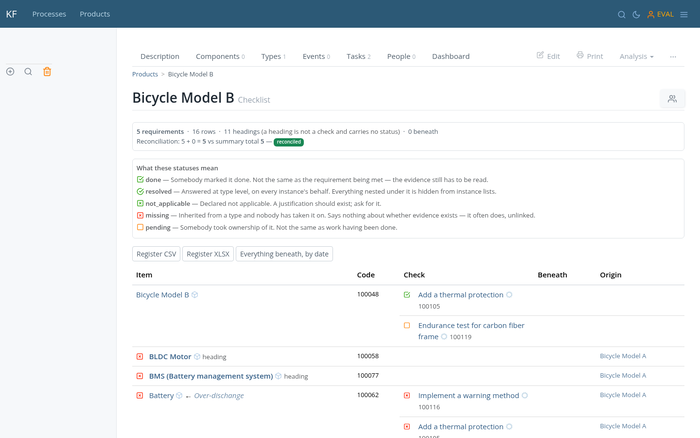
This project's register has a row nobody wrote here. It arrived from the type named under Origin — added to that type after the project was finished — and it stays missing until somebody answers for it.


Pages are items — documents, objects, events, or actions — written in Markdown with math, images, and file attachments. Organized into hierarchies, cross-linked, and fully searchable.

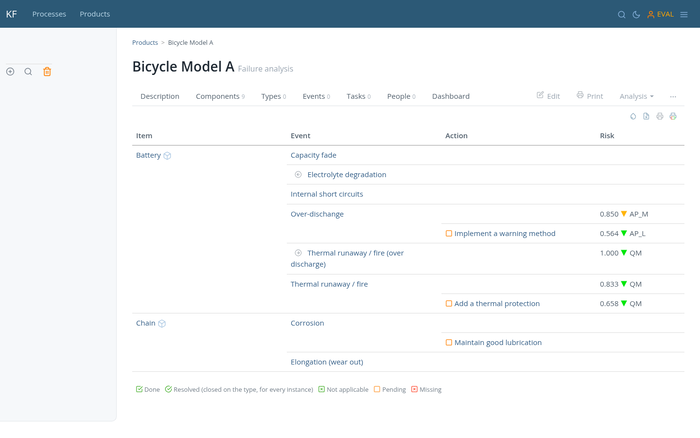
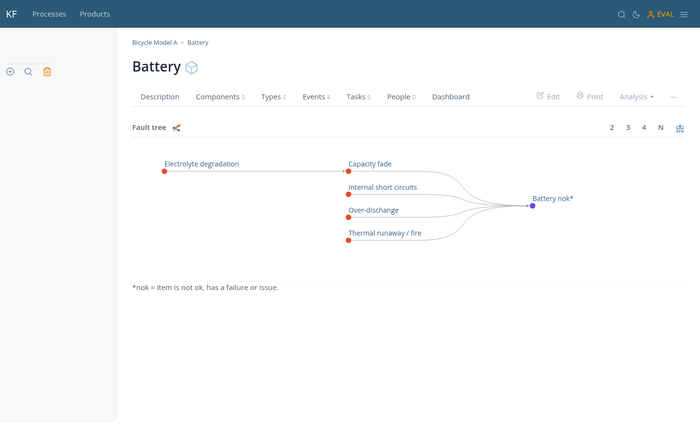
Record events (failures, defects, issues) on any item and link causes to effects. Generate FMEA reports and fault tree diagrams. Supports DRBFM and DRBTR methodologies.

Assign severity and occurrence to events; KF computes risk and shows it on a configurable color matrix. Configurable severity/occurrence scales; ships with AIAG/VDA Action Priority and ISO 26262 ASIL presets.

Any item can be of type another. Instances automatically inherit the type's failures and tasks. When project P2 is a type of P1, it starts with everything P1 learned.

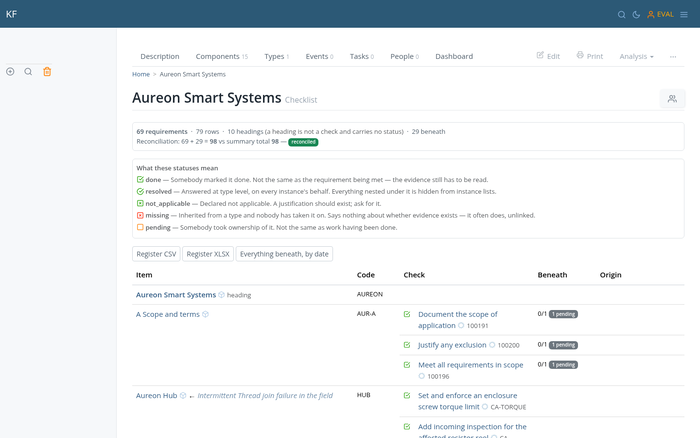
KF auto-generates checklists from an item's type — including past failures and their corrective actions. Each entry is tracked as missing, pending, done, or not applicable.

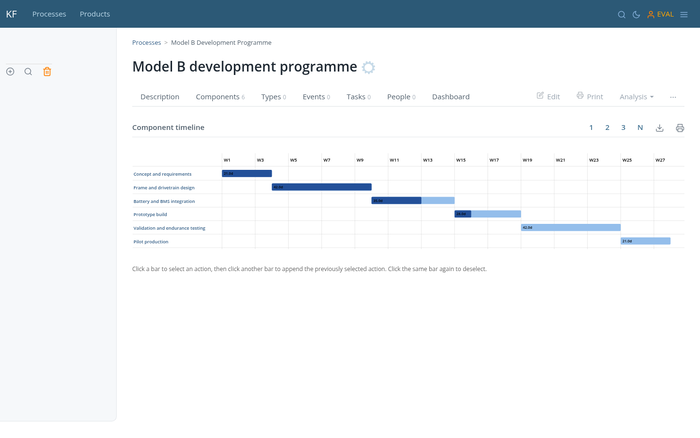
Actions can have duration and precedence and be visualized as a Gantt chart. Schedules are effort-based (not calendar-locked), making them reusable across similar projects. Exports to MS Project XML.

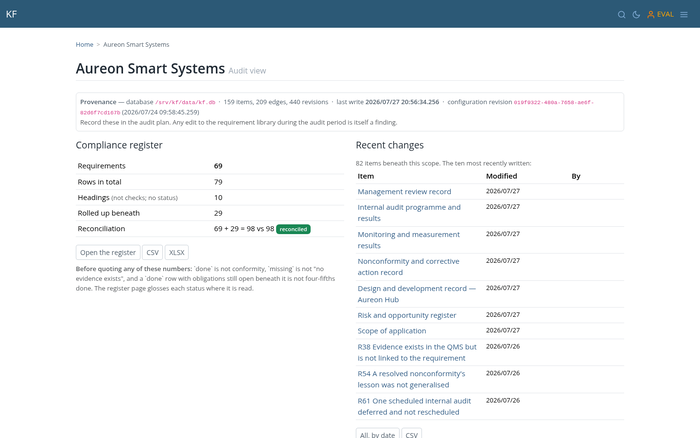
What an item still owes, gathered from every type it answers to, each row rolled up over everything beneath it. The register reconciles its own arithmetic, and exports to CSV or Excel with a provenance header naming the database it came from.

A documented JSON API for everything KF stores, and a read-only MCP endpoint your AI assistant can connect to. It answers from your products, your failures and your quality history — not from the internet.

Every revision kept, with a diff against the one before it. Reads can be pinned to a date, so the same question hours apart gives the same answer. An auditor's guide ships inside the product, next to the evidence.
HARA is an FMEA. J1739, AIAG/VDA and IEC 60812 are the same activity in different words. KF speaks all of them because underneath they are one thing: items, events, and actions.
Document control, corrective actions, and supplier audit checklists — wired to the items they apply to. See a QMS built and audited →
The industry-agnostic FMEA standard. Record events on any item, link causes to effects, and generate FMEA reports and fault trees. AIAG/VDA and SAE J1739 are the automotive dialects of the same four columns.
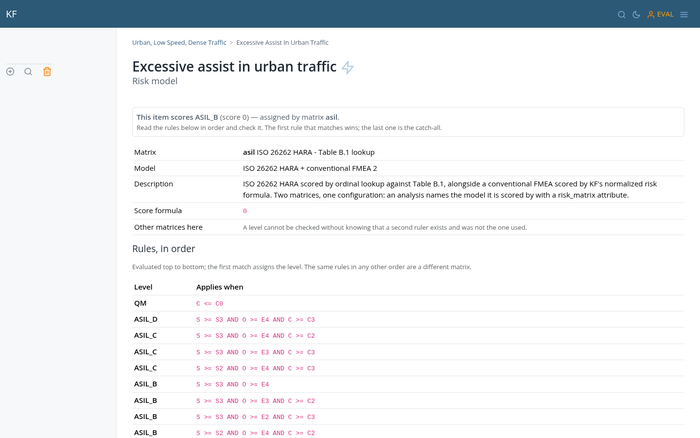
HARA and the functional safety concept (Part 3). Hazardous events map to events, safety goals to actions, and ASIL is calculated automatically — the same model used for every other FMEA in KF. See a HARA built by configuration alone →
Three workflows built in KF and then deliberately attacked — acceptance criteria written down first, and what failed recorded alongside what worked.
A lesson promoted to a type appeared as an open checklist row on a project typed before the lesson existed — with nothing written to that project.
Ten of ten reference S/E/C→ASIL vectors reproduced with no code changes. A HARA and a conventional FMEA in one database, each with its own matrix.
65 requirements verdicted. The most interesting finding was not a seeded gap: 16 requirements had evidence present and no link to it.